EnergyHub empowers utilities and their customers to create a
clean, distributed energy future
We’re transforming complexity at the grid edge into reliable resources for utilities and energy markets.
Our customers









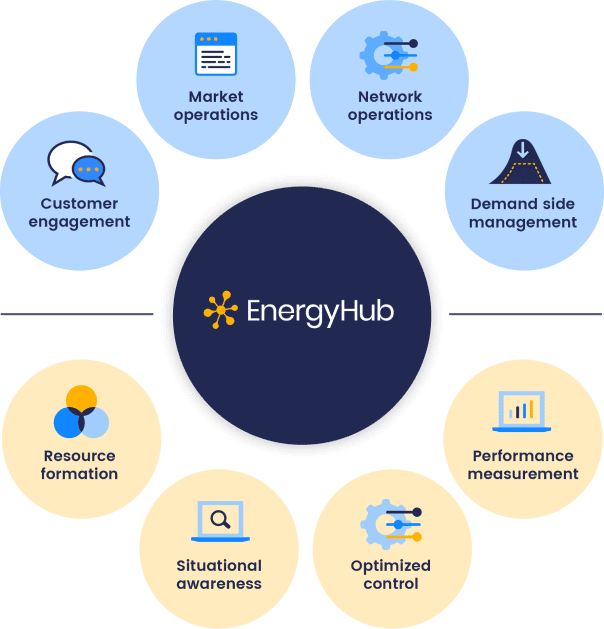
A look at EnergyHub’s DERMS platform
Learn about the advantages of a platform designed to help utilities manage the grid edge.
Thermostats
We pioneered the BYOT model and work with 50+ utilities to manage thermostats at scale.
Thermostats
We pioneered the BYOT model and work with 50+ utilities to manage thermostats at scale.

Electric vehicles
Utilities work with EnergyHub on scalable solutions to shape EV charging load.
Electric vehicles
Utilities work with EnergyHub on scalable solutions to shape EV charging load.
Batteries
We help utilities operationalize utility or customer-owned residential storage systems to support grid needs.
Batteries
We help utilities operationalize utility or customer-owned residential storage systems to support grid needs.
BYOD (bring your own device) solutions
C&I demand response
EnergyHub provides solutions to enroll, dispatch, and monitor commercial and industrial (C&I) resources, working with individual sites and leading aggregators.
Utilities can now manage C&I resources alongside residential DERs through a single platform.

DER partners
We work with the industry’s largest ecosystem of DER providers, including leading manufacturers of thermostats, EV charging equipment, residential batteries, solar inverters, and water heaters.
Client testimonials
EnergyHub’s platform allows us to build and manage a BYOT resource that can provide grid support and help us meet our long-term emissions goals.
Director of Clean Grid LA Strategy
National Grid is committed to running a safe, sustainable, and efficient grid. Managing distributed energy resources is a key component of that mission
Interim Senior Vice President, Chief Customer Officer
Blog


Reach out to us
We empower utilities to harness flexibility at the grid edge to meet their immediate needs and long-term strategic goals. Talk to an EnergyHub expert about your DER needs.